CNC Router

Our CNC Router has the capacity to make your dream project a reality.

HackPGH has a Forest Scientific MakerFab 4’ × 8’ CNC Router with a dedicated laptop running its control software as well as VCarve Pro.
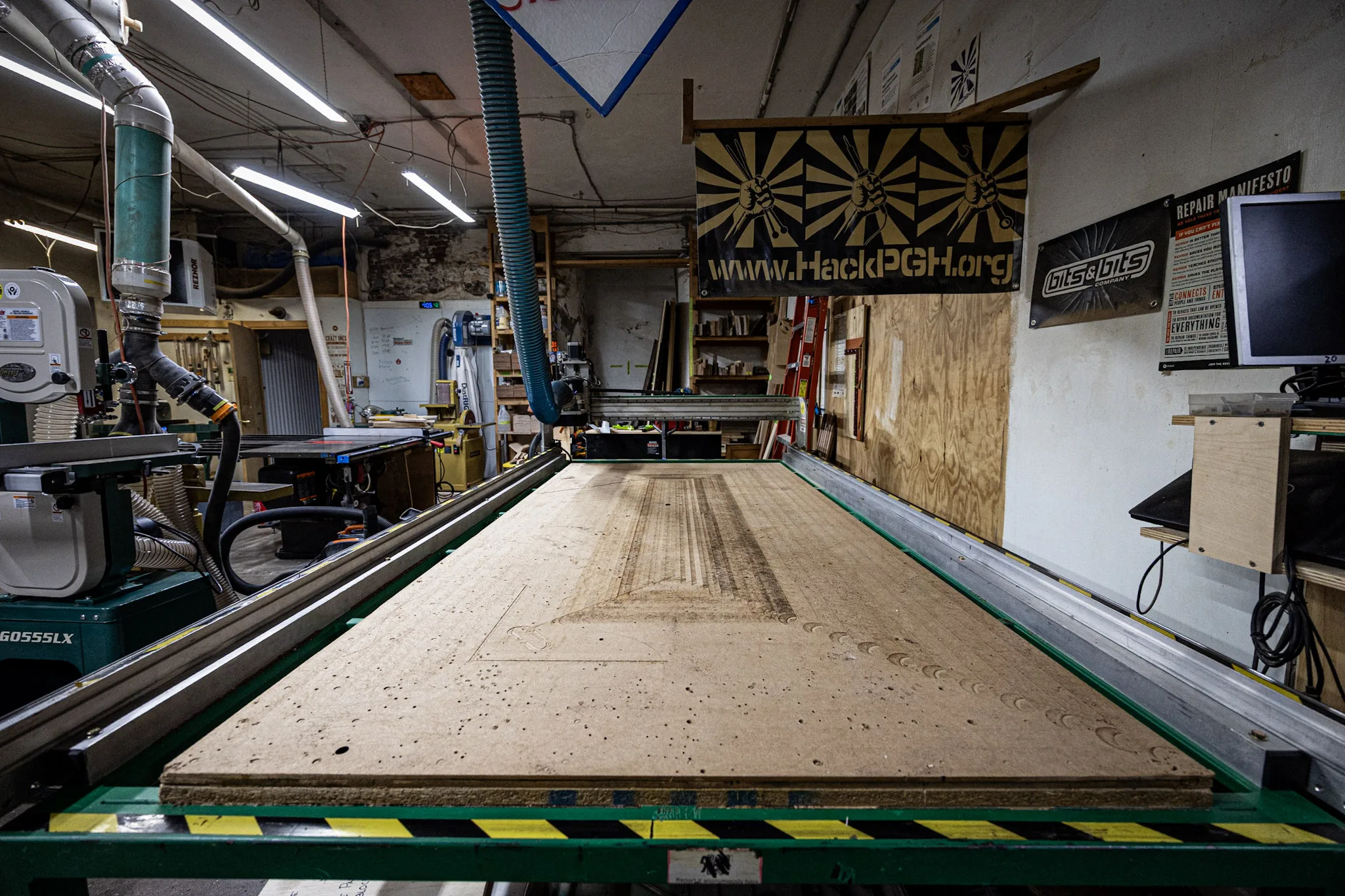
HackPGH’s full-size CNC router and spoilboard in the Woodshop

The Machine

The MakerFab is a computer-controlled router sized for material up to a full 4 ft. × 8 ft. sheet. Its dust boot connects directly to the Woodshop’s main 5 HP dust collector.

CNC router

Forest Scientific MakerFab

Work area
4 ft. × 8 ft.
Design software
VCarve Pro
Control
Dedicated laptop and machine controller
Dust collection
Dust boot connected to the main 5 HP dust collector

Access & Training

The CNC is a members-only machine. Training and sign-off are required before independent use.

Before operating the CNC

  • Users must be at least 15 years old.
  • Minors must always be accompanied by a parent or guardian.
  • A buddy must be present while the CNC is in use.
  • A CNC Shop Lead or Approved Trainer must sign off the member before independent operation.
  • Members must complete every requirement on the CNC Operations Sign-Off Checklist.

Find training

CNC instruction is a paid, three-hour member training rather than free ad hoc training. Check the events calendar for the next session. If none is listed, ask in #asktheboard or #cnc-users on Slack.

View upcoming events

Materials

Confirm that your stock is safe for the machine before creating a toolpath.

Standard materials

Accepted

  • Wood and wood composites
  • Foams
  • Plastics

Ask first

Approval required

A CNC Shop Lead or qualified Board member must approve other materials project by project. This includes all metals and any project combining an accepted material with metal.

Before loading wood

Inspect the stock

Check wood visually and with the shop’s metal detector. Hidden fasteners can damage the bit, workpiece, or machine.

Operating Policies

These policies protect the operator, other members, and the machine. Posted shop rules and instructions from CNC Leads take precedence if procedures change.

Stay with the running machine
  • Remain in the Woodshop or Machine Shop while a job is running so you can quickly pause or E-stop the machine.
  • Brief breaks of less than 10 minutes are allowed after the first 10 minutes of a toolpath. Keep breaks limited.
  • For a longer break, explicitly delegate observation and E-stop responsibility to another qualified member who agrees to actively watch the machine until you return.
  • Turn off the spindle promptly whenever a job is paused.
  • You may use other Woodshop or Machine Shop tools only if you can still see or hear a CNC failure. Do not work on the clean side while the CNC is running.
Reserve time and share the machine
  • Reserve the CNC in Skedda before starting a job.
  • Limit use to six hours per session and no more than three six-hour sessions per week unless a CNC Lead or Board member approves additional time in advance.
  • Classes and training sessions take priority over personal projects.
  • CNC jobs must be paused during scheduled tours.
  • A job may be paused for up to one hour. Label it with a green parking permit; the pause still counts toward the total job time.
  • Do not leave work on the bed overnight or beyond a reservation without advance approval. Optimize toolpaths and bit choices to avoid unnecessary run time.
Secure the work and protect the spoilboard
  • Use only workholding methods approved by the CNC Shop Leads.
  • Secure every workpiece before starting the job.
  • Verify that clamps, screws, and other workholding are outside the toolpath.
  • Limit through-cuts into the spoilboard to no more than 0.050 in.
  • Remove workpieces, screws, and clamps when the day’s work is complete, even if the project will continue later. Store the project in an approved location.
Use and return tooling carefully

HackPGH provides a limited selection of bits and imperial and metric collets. Signed-off members may use the general-purpose bit set; access to the premium bit set requires separate approval from a CNC Lead.

  • You may use your own tooling after confirming it is appropriate for the job.
  • Do not modify the machine, controller, software, or other components without written approval.
  • Return every bit, collet, adaptor, and wrench to its labeled case after use.
  • If a bit is damaged, contact a CNC Lead about an approved comparable replacement.

Shutdown & Cleanup

Leave the CNC maintained, safe, and ready for the next member.

  1. 1Park the machine.
  2. 2Fully shut down the laptop and return it to its case.
  3. 3Shut down the machine controller.
  4. 4Remove projects, material, screws, clamps, and tooling from the bed.
  5. 5Vacuum dust and chips from the machine and surrounding area.
  6. 6Return bits and collets to their storage locations.